

Hello,
Although the contacts in your address book can not be printed directly, it is easy to export them and print them with another program such as Microsoft Excel. To print out your contact list please follow these steps:
 There will be many empty columns that can be deleted before you print.
Update! Here are the directions for Outlook.com - http://www.emailquestions.com/outlook-com/5993-export-your-contacts-outlook.html
Although the contacts in your address book can not be printed directly, it is easy to export them and print them with another program such as Microsoft Excel. To print out your contact list please follow these steps:
- Login to Hotmail
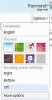
- Click the Options in the top right and then select More Options
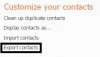
- At the bottom of the more options page select Export Contacts
- Answer the CAPTCHA and then click Export
- Save the CSV file to your desktop
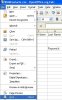
- Open Excel or an alternative program such as Open Office Calc
- Select File and then Open
- Select the CSV that you saved to your desktop
- Select File and then Print
Update! Here are the directions for Outlook.com - http://www.emailquestions.com/outlook-com/5993-export-your-contacts-outlook.html

