

Every day I hear about email accounts that have been hacked. Technically they have not been hacked, they have been phished. Getting phished is when the account owner is tricked into voluntarily giving their login and other personal information to a scammer. Usually they give away their information with an email reply or by typing it into a web page when asked to verify their email account information.
There are several clues that can give away a phishing email including:
There are several ways to protect yourself from phishing attacks including:
For more information about recovering email accounts and contacting the customer support for some of the popular email services please see the following links :
How to recover a lost Gmail password
How to recover a lost Hotmail password / How to regain control of a hacked account
Yahoo - How to recover a lost password / How to regain control of a hacked account
How to recover a lost AOL password / How to regain control of a hacked AOL account
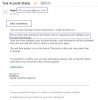
There are several clues that can give away a phishing email including:
- The email is From: a domain that doesn't make sense
- The email addresses you generically as customer or member instead of your name
- There are grammar, capitalization, and other english errors
- The email has an informal tone instead of reading like a business communication
- Destination links that don't make sense if you hover over the "Verify account" link
There are several ways to protect yourself from phishing attacks including:
- Never give your password to anyone for any reason. Your ISP should not be asking you for your password. Your bank should not be asking you for your password. Your credit card company should not be asking you for your password. Report all emails like these as junk / spam / phishing emails. Never reply or click the links in these emails!
- Protect your password. For more information on password security see : Why you need strong passwords and how to protect them
- Turn on 2 factor authentication if your email service supports that feature
- Check the login history for your email accounts. Free email providers such as Gmail show what IP addresses are logged into your email account.
- If you have even the slightest suspicion that something is wrong immediately change your password and create new pairs of security questions and answers. It's OK to lie and make up security question and answer pairs that only you know!
- Keep the programs on your computer up to date. Check your computer for operating system updates (Windows, Mac OS).
- Install a program such as {find replacement} that regularly scans your computer and alerts you when software upgrades are available.
- Regularly run spyware detection and removal programs such as Malwarebytes.
- Check your account to ensure that an unexpected forward has not been created.
- When using a public computer always sign out of your accounts and clear the web browser history/cache/cookies before leaving the computer.
- When you send an email your contacts tell you it has unexpected links and pictures included in the email
- Your contacts tell you they are receiving unexpected or strange emails from you
- There are emails that you did not send in your sent email folder
- Your password unexpectedly changed or you "forgot" a password you have had for a long time
- Extra and incorrect identity information has been added to your email account profile
- Your vacation or away message has unexpected messages in it
- Your signature has been changed and has unexpected messages in it
For more information about recovering email accounts and contacting the customer support for some of the popular email services please see the following links :
How to recover a lost Gmail password
How to recover a lost Hotmail password / How to regain control of a hacked account
Yahoo - How to recover a lost password / How to regain control of a hacked account
How to recover a lost AOL password / How to regain control of a hacked AOL account
Attachments

Last edited:


