Hello,
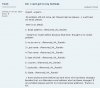
E-mail phishing scams are a danger to all e-mail users. You need to be aware of them and protect yourself to prevent becoming a victim of account information or identity theft. A phishing scam is an attempt by a 3rd party to make you believe they are someone who they are not. Here is an example that I received yesterday in my e-mail:
When I receive an e-mail like this I immediately forward it with full headers to abuse {at} the-company-domain and then delete the e-mail. If you are not sure about an e-mail notification that you receive, the safest action is to call the company in question and ask them to verify if they sent the e-mail. Most companies will have a privacy declaration that says they will never ask you for your password or other information by e-mail or by calling you directly.
E-mail phishing scams are a danger to all e-mail users. You need to be aware of them and protect yourself to prevent becoming a victim of account information or identity theft. A phishing scam is an attempt by a 3rd party to make you believe they are someone who they are not. Here is an example that I received yesterday in my e-mail:
As you can see it appears to be legitimate based on the From: and the official looking link at the end of the message, but behind the scenes the HTML code of the e-mail that you usually don't see would have opened up a browser window to a 3rd party site designed to trick me into typing in my personal account information.Date: Thu, 4 Sep 2008 11:52:53 +0300
From: RoadRunner ISP <au.billing@roadrunner.com>
Subject: *** An Important Notification ***
Dear Customer:
Thank you for choosing RoadRunnerTM. We apologize if u had any trouble accessing our services. In the last month we have worked day and night, for the improvement of our services. We want to do our best, and make it as simple as possible for us, but especially for you, our valued customer. From the beginning of this year we have had a big number of solicitations and because of this it was necessary to replace the old database server with a new one, which has the information about our new clients, and where some of our clients are going to get moved. Please verify your information until the September 7 and help us avoid the lock-out of your services. We require all old customers to verify their information on file with us. To verify your account details now, please visit our secure server webform by clicking the hyperlink below:
hxxps://www.rr.com/rdrun/update/auth/AuthService?action=Update
When I receive an e-mail like this I immediately forward it with full headers to abuse {at} the-company-domain and then delete the e-mail. If you are not sure about an e-mail notification that you receive, the safest action is to call the company in question and ask them to verify if they sent the e-mail. Most companies will have a privacy declaration that says they will never ask you for your password or other information by e-mail or by calling you directly.